Do You Still Need a Lazy Load Plugin in WordPress? We Tested It (2026)
WordPress already lazy-loads post images: 5 of 8 on our test post with no plugin. LazyLoad Plugin added 0.0 KB and changed nothing; a3 Lazy Load added +37.8 KB.
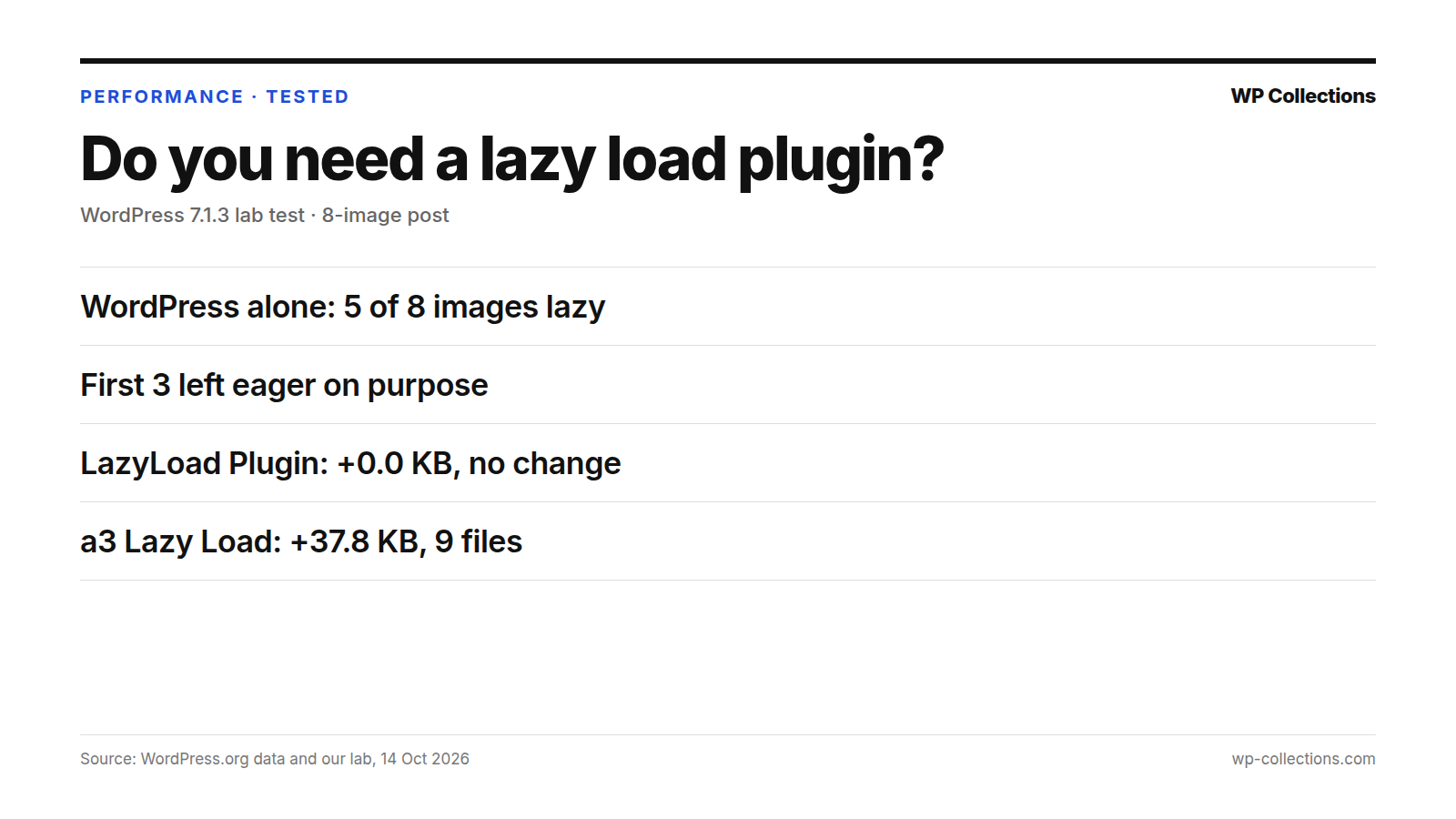
For images in your posts, you probably do not need a lazy load plugin. WordPress already adds loading="lazy" to them on its own. On our 8-image test post, with no plugin installed, WordPress marked 5 of the 8 images lazy and left the first 3 to load right away, on purpose.
We then tested two free lazy load plugins. LazyLoad Plugin added 0.0 KB and left the same 5 images lazy. a3 Lazy Load added +37.8 KB of CSS and JavaScript and doubled the image tags on the page. Neither made more of the post’s images lazy than WordPress already had.
Short answer: Most sites can skip the plugin. Check your page source first. Install one only if you need something WordPress does not do: lazy-loaded background images, YouTube preview thumbnails, or images that come from outside the media library.
Last updated: 14 October 2026. We re-run the numbers every month.
What WordPress does on its own
Our lab runs WordPress 7.1.3 on PHP 8.5 with the Twenty Twenty-Five theme and no other plugins. For this test we published a post with 8 images inserted through the editor and loaded it as a logged-out visitor.
With no plugin, 5 of the 8 images carried loading="lazy". The other 3 were the first images in the post, and WordPress left them eager by design. The filter wp_omit_loading_attr_threshold sets how many images at the top of the content skip lazy loading, and it defaults to 3. WordPress also gives the first large image fetchpriority="high", so the browser fetches it early.
Our standard 3-image test post shows the same rule from the other side: WordPress marked 0 of its 3 images lazy, because all three sit inside that first group. That is correct. Lazy-loading an image at the top of the page only delays it.
One condition matters: WordPress adds loading="lazy" only to images that have width and height attributes. Images inserted through the block editor have them. Images hard-coded in a theme, added by a page builder or pasted as raw HTML may not.
What a plugin adds
We installed each plugin from WordPress.org on 14 October 2026, activated it alone with default settings and measured the same 8-image post. Weight is HTML plus every CSS and JS file the page links, gzipped. Server time is the median of 15 requests, minus the page with no plugin.
| Setup | WordPress.org score | Page weight | Files | Lazy images | Server time |
|---|---|---|---|---|---|
| No plugin (WordPress only) | – | 20.0 KB | 3 | 5 of 8 | – |
| LazyLoad Plugin | 67.1 | +0.0 KB | 3 | 5 of 8 | +7.7 ms |
| a3 Lazy Load | 64.2 | +37.8 KB | 9 | 10 of 16 | +5.4 ms |
LazyLoad Plugin – Lazy Load Images, Videos, and Iframes changed nothing we could measure with default settings: same weight, same 3 files, same 5 lazy images. It has 100,000+ installs, a rating of 84% (139 ratings) and was updated 6 October 2026.
a3 Lazy Load loaded 9 files instead of 3, adding +37.8 KB; it added the same +37.8 KB on our 3-image post. The image count went from 8 to 16 because it adds a fallback copy of each image for visitors without JavaScript, which its page describes as a Noscript fallback. It has 90,000+ installs, 86% (148 ratings), and was last updated 8 July 2026, tested up to WordPress 7.0.7.
Server time for both was small, +7.7 ms and +5.4 ms, under our noise threshold of about 10 ms.
When a plugin still helps
Both plugins do things WordPress core does not. These come from each plugin’s own WordPress.org page:
- Background images: LazyLoad Plugin lazy-loads background images set in a
styleattribute on adiv, or marked up with its own class anddata-bgattribute. - YouTube embeds: LazyLoad Plugin can replace YouTube iframes with a preview thumbnail. Its page says its script uses no jQuery and weighs under 10 KB.
- Images outside the media library: a3 Lazy Load says it lazy-loads images that do not come from the media library, in content and widgets, plus post thumbnails and gravatars.
- Videos and iframes: a3 Lazy Load lazy-loads videos embedded by URL and any iframe that WordPress core does not, such as maps and social widgets. Its page notes WordPress 5.5 added lazy loading for images and 5.7 for iframes.
- Effects and control: a3 Lazy Load adds fade-in or spinner effects, support for horizontal scroll containers, exclusion by class name, and an option to turn WordPress’s own lazy loading off.
If your pages rely on any of these, a plugin can earn its weight. If your images are ordinary post images inserted through the editor, WordPress already covers them.
How to check your own site
- Open a post with several images in a private window, so you see it as a logged-out visitor.
- View the page source: Ctrl+U on Windows and Linux, Option+Command+U on a Mac.
- Search the source for
<imgand count the images in the post. - Search for
loading="lazy"and count again. Expect every image except the first few to have it, and the first large one to carryfetchpriority="high". - If an image further down has no
loading="lazy", look forwidthandheightin its tag. Without them, WordPress skips it; re-insert the image through the editor or fix the theme or builder that outputs it. - If you still install a plugin, open its settings, then repeat the count and compare page weight in your browser’s developer tools, Network tab.
Questions people ask
Does WordPress lazy load images by default?
Yes. With no plugin, WordPress 7.1.3 added loading="lazy" to 5 of the 8 images on our test post. It applies to images with width and height attributes, which images inserted through the editor have.
Why are my first images not lazy-loaded?
On purpose. WordPress leaves the first images in the content eager, 3 by default, set by the wp_omit_loading_attr_threshold filter, and gives the first large image fetchpriority="high". Images at the top of the page should load straight away.
What is the best free lazy load plugin for WordPress?
If you need one, LazyLoad Plugin scored 67.1 on our WordPress.org score against 64.2 for a3 Lazy Load, and added 0.0 KB to our test page against +37.8 KB. a3 Lazy Load has more settings, including video and iframe options and effects.
Can a lazy load plugin make my site slower?
It can make it heavier. a3 Lazy Load added +37.8 KB and 6 extra files to our test page while the number of lazy post images stayed what WordPress already had. Server time stayed within noise for both plugins.
Do I need a plugin to lazy load YouTube videos?
Not for basic iframe lazy loading, which a3 Lazy Load’s page says WordPress added in version 5.7. LazyLoad Plugin goes further and can swap a YouTube iframe for a preview thumbnail, which its page says it can do.